Quick Answer
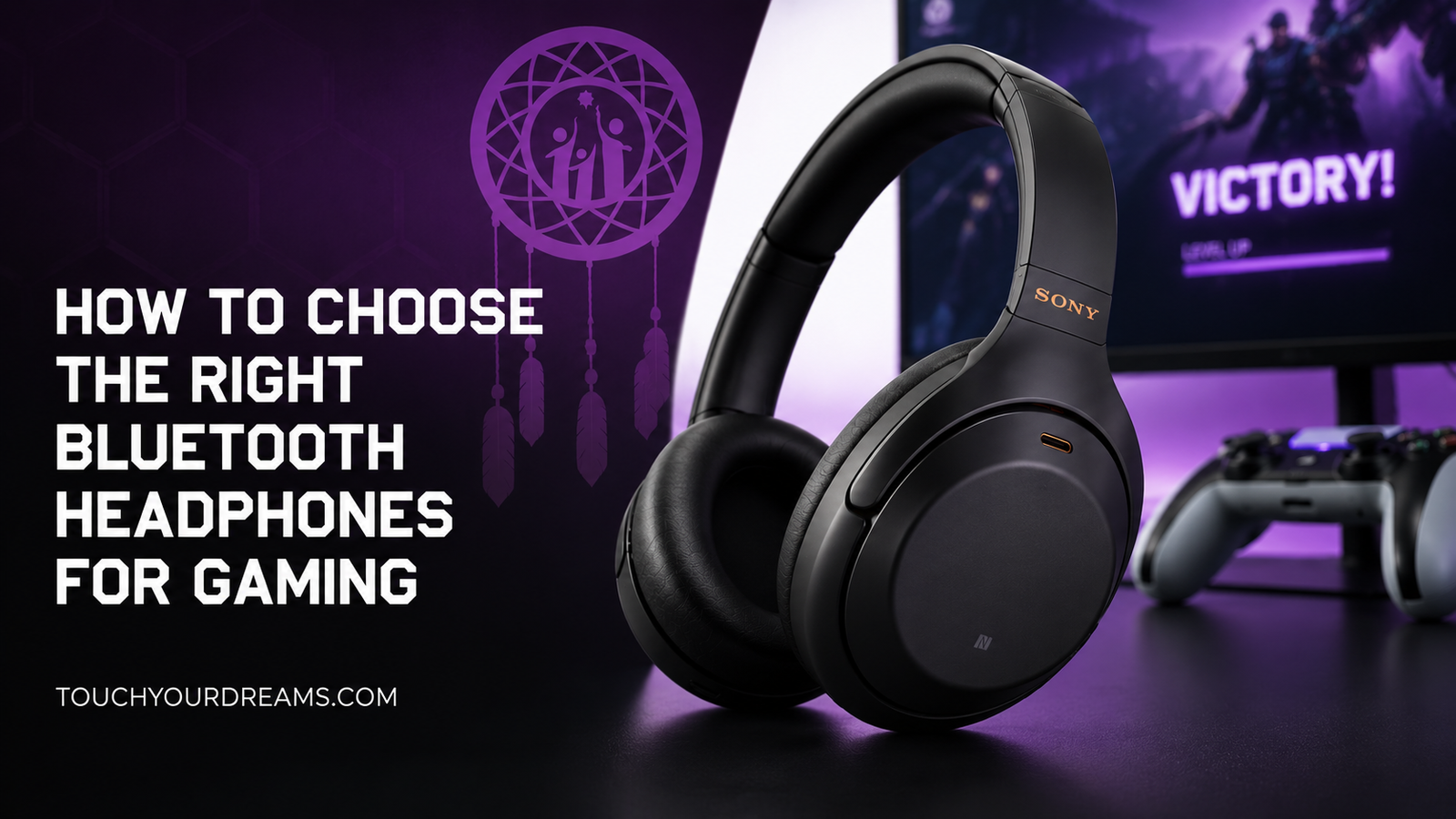
The best Bluetooth headphones for gaming combine low latency, good comfort, stable wireless performance, and clear audio positioning. If you mainly play competitive games, prioritize low-latency wireless support or headphones with a dedicated 2.4GHz USB dongle. If you mostly play casually, almost any high-quality Bluetooth headphones can work well.
The most common mistake buyers make is focusing only on sound quality while ignoring latency and comfort.
What Actually Matters in Bluetooth Gaming Headphones
| Feature | Why It Matters |
|---|---|
| Low Latency | Reduces audio delay during gameplay |
| Comfort | Important for long gaming sessions |
| Sound Positioning | Helps hear footsteps and directional cues |
| Wireless Stability | Prevents dropouts and stuttering |
| Microphone Quality | Improves voice chat clarity |
| Battery Life | Important for extended gaming |
| Multi-Device Support | Useful for gaming, music, and travel |
Are Bluetooth Headphones Good for Gaming?
Yes — but it depends on the type of gaming.
For:
- Story games
- RPGs
- Casual multiplayer
- Mobile gaming
Bluetooth headphones are usually completely fine.
For:
- Competitive FPS games
- Esports
- Fast-paced multiplayer games
latency becomes much more important.
Standard Bluetooth audio can introduce slight delays between gameplay and sound. Some players barely notice it, while competitive gamers often do.
Why Low Latency Matters More Than Most People Think
Gaming audio is tied directly to timing.
In competitive games, delayed audio can affect:
- Footstep awareness
- Gunfire timing
- Reaction speed
- Voice chat synchronization
This is why many gaming-focused wireless headsets avoid standard Bluetooth entirely and instead use:
- 2.4GHz wireless
- USB transmitters
- Proprietary low-latency connections
When choosing Bluetooth headphones for gaming, latency matters more than flashy marketing features.
Bluetooth vs 2.4GHz Wireless: Which Is Better?
2.4GHz Wireless Is Usually Better For Gaming
Most dedicated gaming headsets use 2.4GHz wireless because it offers:
- Lower latency
- More stable connections
- Better synchronization
This makes it ideal for:
- FPS games
- Competitive multiplayer
- Console gaming
Bluetooth Is Better For Everyday Flexibility
Bluetooth headphones are more convenient for:
- Phones
- Laptops
- Music
- Travel
- Work
If you want one pair of headphones for everything, Bluetooth is often the more practical choice.
Looking for better gaming audio beyond standard Bluetooth? Check out our comparison of the best wireless gaming headphones in 2026 for low latency, comfort, sound quality, and competitive performance:
Best Wireless Gaming Headphones in 2026
How to Choose Based on Your Gaming Style
Competitive Gamers
Prioritize:
- Low latency
- Precise positional audio
- Stable wireless connection
- Clear microphone quality
Best option:
- 2.4GHz wireless gaming headphones
- Wired fallback support
Casual Gamers
Prioritize:
- Comfort
- Convenience
- Battery life
- Overall sound quality
Best option:
- Premium Bluetooth headphones
- Hybrid wireless gaming headphones
Gamers Who Also Listen to Music
Prioritize:
- Balanced audio tuning
- Good soundstage
- Comfort
- Multi-device support
Many music-focused headphones sound better overall than gaming headsets, but may not perform as well competitively.
The Most Important Features to Look For
1. Low-Latency Wireless Support
This is the single most important gaming feature.
Look for:
- aptX Low Latency
- aptX Adaptive
- LC3 support
- Dedicated gaming mode
- USB wireless dongles
2. Comfort
A heavy headset becomes uncomfortable quickly.
Pay attention to:
- Ear cushion material
- Headband pressure
- Weight
- Breathability
Comfort matters more during long sessions than many buyers expect.
3. Sound Positioning
Gaming audio is not only about bass.
Good gaming headphones help separate:
- Footsteps
- Reload sounds
- Directional movement
- Environmental cues
Clear positional imaging is often more useful than exaggerated bass.
4. Microphone Quality
If you play multiplayer games, microphone quality matters.
Built-in mics vary significantly between models.
Look for:
- Noise reduction
- Voice isolation
- Detachable microphones
- Boom mic options
5. Battery Life
Long battery life matters for wireless gaming.
A good target is:
- 20+ hours minimum
- Fast charging support
- Wired backup mode
Common Buying Mistakes
Buying Music Headphones Without Checking Gaming Performance
Some excellent music headphones have:
- High latency
- Weak microphones
- Poor gaming imaging
Always check real gaming-focused reviews.
Focusing Only on Bass
Heavy bass can actually reduce positional clarity in games.
Balanced sound is usually better for gaming than exaggerated low-end tuning.
Ignoring Comfort
Even great-sounding headphones become frustrating if they create pressure or heat after long sessions.
Assuming All Wireless Audio Performs the Same
Wireless gaming performance varies dramatically between:
- Standard Bluetooth
- Low-latency Bluetooth
- 2.4GHz wireless gaming systems
Wired vs Bluetooth for Gaming
| Wired | Bluetooth |
|---|---|
| Lower latency | More convenient |
| No battery concerns | Better portability |
| More stable audio | Cleaner setup |
| Better for esports | Better for multi-use |
Wired still provides the most reliable gaming performance, but modern wireless headphones are much better than they used to be.
Best Bluetooth Headphones by Use Case
Best for Competitive Gaming
Choose:
- Low-latency wireless gaming headsets
- 2.4GHz wireless models
Best for Casual Gaming
Choose:
- Comfortable Bluetooth headphones
- Long battery life
- Balanced sound tuning
Best for Gaming + Music
Choose:
- Audiophile-oriented wireless headphones
- Hybrid gaming/music models
Quick Buying Checklist
Before buying Bluetooth gaming headphones, check for:
- Low-latency support
- Comfortable fit
- Good microphone quality
- Stable wireless connection
- Strong battery life
- Wired backup option
- Platform compatibility
- Real gaming reviews
Common Questions
Are Bluetooth Headphones Bad for Gaming?
Not necessarily. They work well for casual gaming, but competitive players are more sensitive to latency.
What Latency Is Good for Gaming?
Lower is always better. Competitive players benefit most from ultra-low-latency wireless or wired connections.
Can Bluetooth Headphones Work on Consoles?
Sometimes, but console compatibility varies. Some systems require adapters or USB transmitters.
Are Gaming Headphones Better Than Music Headphones?
For gaming performance, usually yes. For music quality, not always.
Final Verdict
The right Bluetooth headphones for gaming depend less on brand names and more on how you actually play games.
If you mostly play competitive multiplayer titles, prioritize:
- Low latency
- Wireless stability
- Positional audio
If you mainly play casually and want one pair of headphones for everything, versatile Bluetooth headphones can be a much better long-term value.
The best gaming headphones are the ones that match your gaming habits — not just the ones with the most aggressive marketing.