Quick Answer
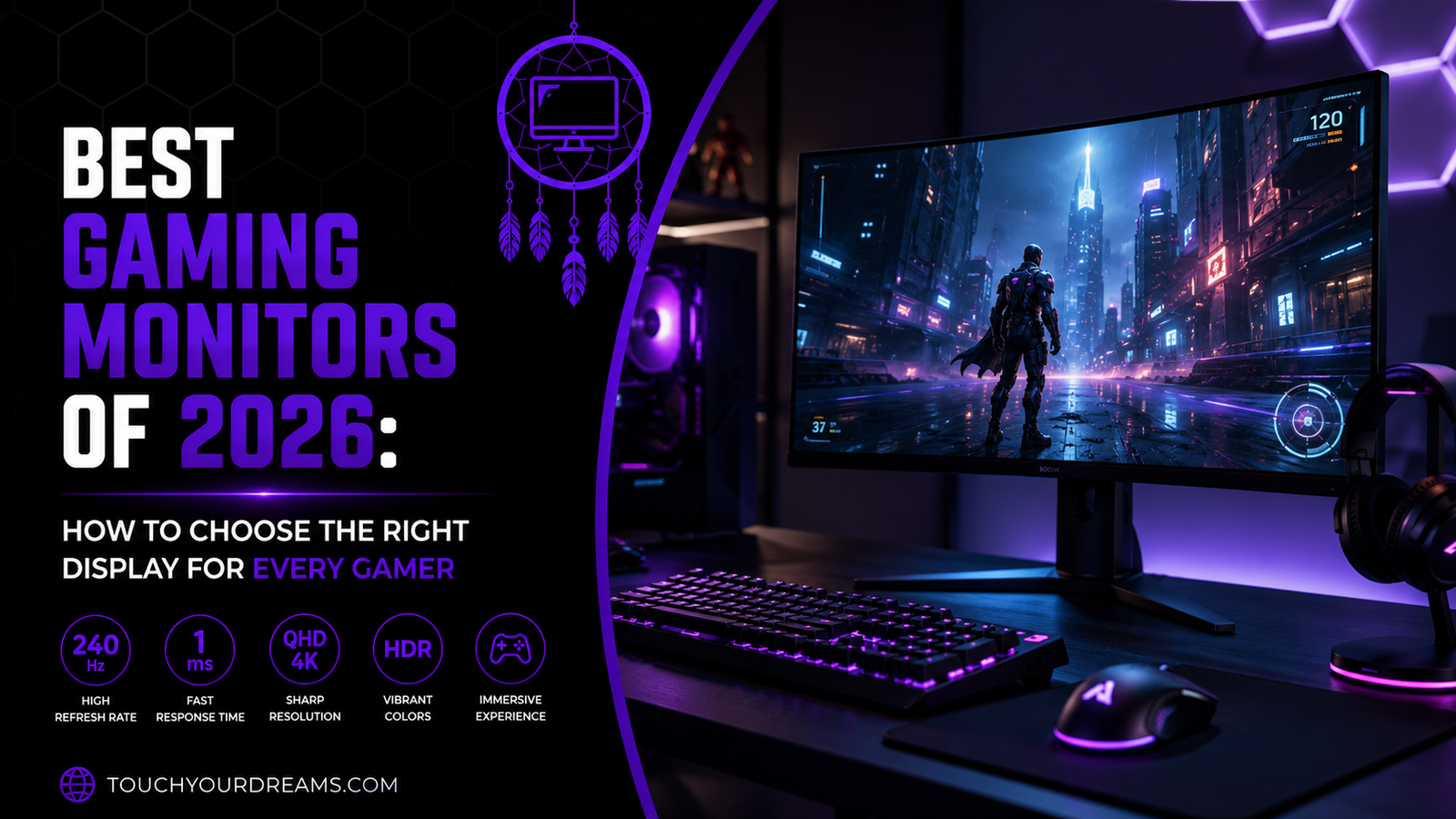
The best gaming monitor in 2026 depends on your gaming style, hardware, and budget. For most gamers, a 27-inch 1440p IPS monitor with a 165Hz refresh rate, 1ms response time, and Adaptive Sync provides the ideal balance of smooth gameplay, sharp visuals, and long-term value.
If you’re a competitive esports player, a 240Hz or 360Hz monitor can provide faster motion clarity and lower input lag. Console gamers using a PlayStation 5 or Xbox Series X should prioritize a monitor with HDMI 2.1, 4K resolution, and 120Hz support. Meanwhile, players looking for the best visual experience may find that OLED gaming monitors deliver unmatched contrast and color quality.
The key is to buy a monitor that complements your system rather than simply choosing the most expensive model.
Best Gaming Monitor Recommendations at a Glance
| Gaming Style | Recommended Specifications |
|---|---|
| Overall Best | 27-inch, 1440p, IPS, 165Hz |
| Competitive Gaming | 24–27-inch, 240Hz or 360Hz |
| PS5 Gaming | 4K, HDMI 2.1, 120Hz |
| Xbox Series X Gaming | 4K, HDMI 2.1, FreeSync |
| Budget Gaming | 24-inch, 1080p, 144Hz |
| Immersive Gaming | 32-inch, 4K OLED |
| Gaming & Productivity | 27-inch, 1440p IPS |
Why Your Gaming Monitor Matters
Many gamers spend a significant amount of money on powerful graphics cards and gaming PCs but overlook one of the most important components—the monitor.
Your monitor determines how your games actually look and feel. Even if your computer is capable of producing 200 frames per second, you’ll only experience those extra frames if your monitor has a high enough refresh rate.
A quality gaming monitor improves:
- Motion clarity
- Response speed
- Image sharpness
- Color accuracy
- HDR performance
- Overall immersion
For competitive games like Valorant, Counter-Strike 2, and Call of Duty, a faster monitor can make tracking enemies easier. For open-world adventures and RPGs, higher resolution and better contrast create a richer, more immersive experience.
Choosing the right monitor ensures you’re getting the full value from your gaming hardware.
What Makes a Good Gaming Monitor?
A gaming monitor isn’t defined by a single specification. Instead, it’s the combination of several key features that determines its overall performance.
Refresh Rate
Refresh rate refers to how many times the display updates the image each second.
Common refresh rates include:
- 60Hz
- 120Hz
- 144Hz
- 165Hz
- 180Hz
- 240Hz
- 360Hz
Higher refresh rates produce smoother gameplay, reduce motion blur, and improve responsiveness.
For most gamers, 144Hz to 165Hz offers the best balance of performance and affordability.
Competitive players who consistently achieve high frame rates can benefit from 240Hz or higher, though the improvement becomes more subtle beyond that point.
Response Time
Response time measures how quickly pixels change from one color to another.
Lower response times reduce:
- Ghosting
- Motion blur
- Smearing
A response time of 1ms is considered ideal for gaming, particularly in fast-paced shooters and racing games.
Resolution
Resolution affects image sharpness and detail.
The most common choices are:
| Resolution | Best For |
|---|---|
| 1080p | Budget gaming and esports |
| 1440p | Most gamers |
| 4K | Premium visual quality |
A higher resolution creates sharper images but also requires a more powerful graphics card.
For most users, 1440p delivers the best balance between performance and visual quality.
Panel Types
Gaming monitors typically use one of three display technologies.
IPS Panels
IPS monitors offer:
- Excellent color accuracy
- Wide viewing angles
- Fast response times
They’re considered the best all-around option for most gamers.
VA Panels
VA displays provide:
- Better contrast
- Deeper blacks
- Great movie performance
However, some models can show slight motion smearing during very fast gameplay.
OLED Panels
OLED technology delivers:
- Perfect blacks
- Exceptional HDR
- Instant pixel response
- Outstanding color reproduction
OLED monitors offer the best image quality available today but are also among the most expensive.
Adaptive Sync
Frame rates often fluctuate during gameplay.
Adaptive Sync technologies help eliminate:
- Screen tearing
- Stuttering
- Judder
Look for support for:
- AMD FreeSync
- NVIDIA G-SYNC
- G-SYNC Compatible
These features create a noticeably smoother gaming experience.
Connectivity
Before buying a monitor, check that it includes the ports you need.
Recommended options include:
- HDMI 2.1 for modern consoles
- DisplayPort 1.4 or newer for gaming PCs
- USB-C for compatible laptops
- USB hub for connecting accessories
Choosing the right connectivity options helps future-proof your setup and ensures compatibility with current and upcoming devices.
Which Gaming Monitor Is Best for PS5, Xbox Series X, and PC?
Quick Answer
The best gaming monitor depends on the platform you use. PlayStation 5 and Xbox Series X owners should look for a monitor with HDMI 2.1, 4K resolution, and 120Hz support to unlock the full capabilities of their consoles. PC gamers have more flexibility, but a 27-inch 1440p monitor with a 165Hz refresh rate remains the best all-around choice for performance and value.
Best Gaming Monitor for PS5
The PlayStation 5 supports several advanced display technologies that can significantly improve your gaming experience.
Look for these features:
- HDMI 2.1
- Native 4K resolution
- 120Hz refresh rate
- Variable Refresh Rate (VRR)
- HDR support
Games like Spider-Man 2, Gran Turismo 7, and Call of Duty feel smoother and more responsive when paired with a monitor that supports these features.
If your budget is limited, a 1440p 120Hz monitor is still an excellent option, especially since the PS5 now supports 1440p output.
Best Gaming Monitor for Xbox Series X
The Xbox Series X offers similar display capabilities, including:
- 4K gaming
- 120Hz gameplay
- HDR10
- AMD FreeSync
- VRR
Choosing a monitor with FreeSync Premium or HDMI 2.1 ensures smoother gameplay by reducing screen tearing and stuttering.
If you enjoy racing games, shooters, or sports titles, these features noticeably improve the overall experience.
Best Gaming Monitor for PC
PC gamers have the widest range of options because monitor performance depends largely on the graphics card.
For most gaming PCs, a 27-inch 1440p IPS monitor with a 165Hz refresh rate is the sweet spot.
If you’re using a high-end GPU, you can take advantage of:
- 240Hz or 360Hz refresh rates
- 4K gaming
- OLED panels
- Ultrawide displays
Before upgrading to 4K, make sure your graphics card can maintain high frame rates in the games you play.
Still deciding on a console? Before choosing a gaming monitor, compare the Xbox Series X vs. Series S to see which console best fits your gaming style and budget.
144Hz vs. 240Hz: Is the Upgrade Worth It?
Quick Answer
A 144Hz monitor is the best choice for most gamers because it offers excellent smoothness at a reasonable price. A 240Hz monitor provides an advantage for competitive esports players, but the improvement is much less noticeable for casual gaming.
What Does Refresh Rate Affect?
Refresh rate determines how many times your monitor updates the image every second.
Higher refresh rates improve:
- Motion clarity
- Mouse responsiveness
- Target tracking
- Input responsiveness
Moving from 60Hz to 144Hz is a dramatic improvement that almost every gamer notices.
The jump from 144Hz to 240Hz is smaller but still valuable for highly competitive players.
Comparison Table
| Feature | 144Hz | 240Hz |
|---|---|---|
| Motion Smoothness | Excellent | Outstanding |
| Competitive Gaming | Great | Excellent |
| Casual Gaming | Excellent | Excellent |
| Hardware Required | Mid-range GPU | High-end GPU |
| Price | Lower | Higher |
Who Should Buy 144Hz?
A 144Hz monitor is ideal if you:
- Play a variety of games
- Want excellent value
- Own a mid-range gaming PC
- Prefer balanced performance
It’s widely considered the best value for most gamers.
Who Should Buy 240Hz?
A 240Hz monitor is best suited for players who spend most of their time in:
- Counter-Strike 2
- Valorant
- Apex Legends
- Rainbow Six Siege
- Fortnite
To fully benefit, your PC should consistently deliver frame rates above 200 FPS.
Should You Buy a 1080p, 1440p, or 4K Gaming Monitor?
Quick Answer
Your ideal resolution depends on your hardware and gaming goals. 1080p is affordable and excellent for esports. 1440p provides the best balance of image quality and performance. 4K delivers stunning visuals but requires significantly more graphics power.
Resolution Comparison
| Resolution | Best For | Advantages | Drawbacks |
|---|---|---|---|
| 1080p | Budget gaming | High FPS, affordable | Less detail |
| 1440p | Most gamers | Sharp visuals, balanced performance | Slightly higher GPU demand |
| 4K | Premium gaming | Exceptional detail | Expensive hardware required |
1080p Gaming
Full HD remains a practical choice for gamers who prioritize high frame rates over maximum image quality.
Benefits include:
- Lower hardware requirements
- Higher FPS
- More affordable monitors
This resolution is especially popular among competitive players.
1440p Gaming
Many experts consider 1440p the current sweet spot for gaming.
It offers:
- Sharper visuals than 1080p
- Excellent frame rates on modern GPUs
- Better workspace for productivity
- Strong value for money
If you’re buying one monitor for both gaming and everyday use, 1440p is difficult to beat.
4K Gaming
A 4K monitor provides incredible image clarity and is ideal for:
- Open-world adventures
- RPGs
- Racing simulators
- Story-driven games
However, you’ll need a powerful graphics card to enjoy high frame rates at this resolution.
Quick Answer
Screen size affects both immersion and comfort.
General recommendations:
- 24-inch – Best for competitive gaming
- 27-inch – Best all-around option
- 32-inch – Best for immersive 4K gaming
24-Inch Monitors
A 24-inch display keeps the entire screen within your field of view, making it a favorite among esports players.
Best paired with 1080p resolution.
27-Inch Monitors
This is the most versatile size available.
It offers:
- Excellent image sharpness at 1440p
- Comfortable viewing
- Great balance between immersion and responsiveness
For most gamers, this is the safest recommendation.
32-Inch Monitors
Larger screens create a more cinematic experience.
They’re perfect for:
- Simulation games
- RPGs
- Open-world adventures
- Productivity
For the sharpest image, pair a 32-inch display with 4K resolution.
A great monitor deserves great audio. Explore our guide to the Best Gaming Headsets Under $150 to find comfortable, high-quality headsets that deliver immersive sound without stretching your budget.
IPS vs. VA vs. OLED: Which Panel Type Is Best?
Quick Answer
Each panel type has its strengths. IPS is the best all-around choice for most gamers, VA offers better contrast for dark environments, and OLED delivers the highest image quality with near-instant response times—but at a premium price.
IPS Panels
IPS (In-Plane Switching) panels are the most popular choice because they offer a balanced combination of speed and image quality.
Advantages include:
- Excellent color accuracy
- Wide viewing angles
- Fast response times
- Great for gaming and content creation
If you want one monitor for gaming, work, and entertainment, IPS is usually the safest option.
VA Panels
VA (Vertical Alignment) panels are known for their deep blacks and impressive contrast.
They’re ideal for:
- Watching movies
- Story-driven games
- Gaming in darker rooms
Some VA panels may show minor ghosting during very fast motion, though modern models have improved significantly.
OLED Panels
OLED has become the premium standard for gaming monitors.
Benefits include:
- Perfect black levels
- Exceptional HDR
- Instant pixel response
- Outstanding color reproduction
- Incredible motion clarity
OLED monitors provide an unmatched visual experience but come at a higher price. While concerns about burn-in have decreased thanks to improved technology, it’s still worth following the manufacturer’s recommendations for long-term care.
Essential Features to Look for Before Buying
Choosing a gaming monitor is about more than resolution and refresh rate. These features can make a noticeable difference in day-to-day use.
HDR Support
High Dynamic Range (HDR) improves contrast, brightness, and color depth.
Quality HDR makes games look more realistic, especially titles with dramatic lighting and detailed environments.
Adaptive Sync
Look for:
- AMD FreeSync
- NVIDIA G-SYNC
- G-SYNC Compatible
These technologies reduce screen tearing and create smoother gameplay when frame rates fluctuate.
Ergonomic Stand
A good stand allows you to adjust:
- Height
- Tilt
- Swivel
- Pivot
Comfort becomes increasingly important during long gaming sessions.
Blue Light and Flicker Reduction
Many gaming monitors include eye-care features that reduce strain during extended use.
These include:
- Low Blue Light Mode
- Flicker-Free Technology
While they don’t improve gaming performance, they can make long sessions more comfortable.
Connectivity
Make sure your monitor has enough ports for your current and future devices.
Useful options include:
- HDMI 2.1
- DisplayPort
- USB-C
- USB hub
- 3.5mm audio output
Planning ahead can save you from needing adapters or replacing your monitor sooner than expected.
Common Mistakes to Avoid
Many buyers focus on marketing claims rather than the features that truly matter.
Avoid these common mistakes:
Buying More Resolution Than Your PC Can Handle
A 4K monitor is only worthwhile if your graphics card can deliver smooth performance at that resolution.
Ignoring Refresh Rate
A high refresh rate often has a bigger impact on gaming than resolution alone.
If you play fast-paced games, prioritize refresh rate over extra pixels.
Choosing the Wrong Screen Size
A larger screen isn’t always better.
Choose a size that fits your desk, viewing distance, and preferred games.
Forgetting About Ports
Always confirm that the monitor includes the connections your devices require.
This is especially important for PS5, Xbox Series X, and newer graphics cards.
Paying for Features You’ll Never Use
Some premium monitors include features that casual gamers may never notice.
Focus on the specifications that match your gaming habits rather than chasing the highest numbers.
Quick Buying Checklist
Before purchasing a gaming monitor, ask yourself:
✔ What games do I play most often?
✔ Is my graphics card powerful enough?
✔ Do I game on PC, PS5, Xbox Series X, or all three?
✔ What refresh rate do I really need?
✔ Which resolution fits my hardware?
✔ Do I have enough desk space?
✔ Does the monitor include HDMI 2.1 or DisplayPort?
✔ Is Adaptive Sync supported?
✔ Does it fit my budget?
If you can confidently answer these questions, you’ll be much more likely to choose a monitor that you’ll enjoy for years.
Frequently Asked Questions
What is the best gaming monitor for most people?
A 27-inch 1440p IPS monitor with a 165Hz refresh rate offers the best combination of performance, image quality, and value for most gamers.
Is 144Hz still worth buying in 2026?
Yes. A 144Hz monitor remains an excellent choice and provides a major improvement over 60Hz. It’s also more affordable than higher refresh rate options.
Do I need HDMI 2.1?
If you own a PlayStation 5 or Xbox Series X and want to play at 4K with up to 120Hz, HDMI 2.1 is highly recommended.
Is OLED better than IPS?
OLED delivers better contrast, deeper blacks, and faster response times. IPS remains the better value for most buyers due to its lower cost and excellent overall performance.
Is a curved gaming monitor better?
Curved monitors can provide a more immersive experience, especially on ultrawide or larger displays. However, many competitive gamers still prefer flat monitors because they offer a more consistent viewing experience.
Final Verdict
The best gaming monitor isn’t necessarily the one with the highest refresh rate or the most expensive OLED panel—it’s the one that fits your gaming style, hardware, and budget.
For most gamers, a 27-inch 1440p IPS monitor with a 165Hz refresh rate continues to offer the best overall value. Competitive players can benefit from 240Hz or higher, while enthusiasts seeking the highest image quality may prefer a 4K OLED display.
Before making a purchase, think about the games you play most, the performance your system can deliver, and the features you’ll actually use. A well-chosen monitor can improve every gaming session and remain a worthwhile investment for years.
Want to complete your gaming setup? If you also use your headphones for music, movies, or everyday listening, check out our picks for the Best Bluetooth Headphones to find wireless options that combine excellent sound quality, comfort, and long battery life.